2026-07-29 · 8 min read
How to Troubleshoot "Website Down" Problems: DNS, Hosting, CDN or SSL?
A site that will not load looks like one problem. It is usually four stacked on top of each other: the name has to resolve, the TLS handshake has to complete, the CDN edge has to reach the origin, and the origin has to answer. This guide gives you the diagnostic order, the exact commands, and an honest account of what an automated checker can and cannot see.
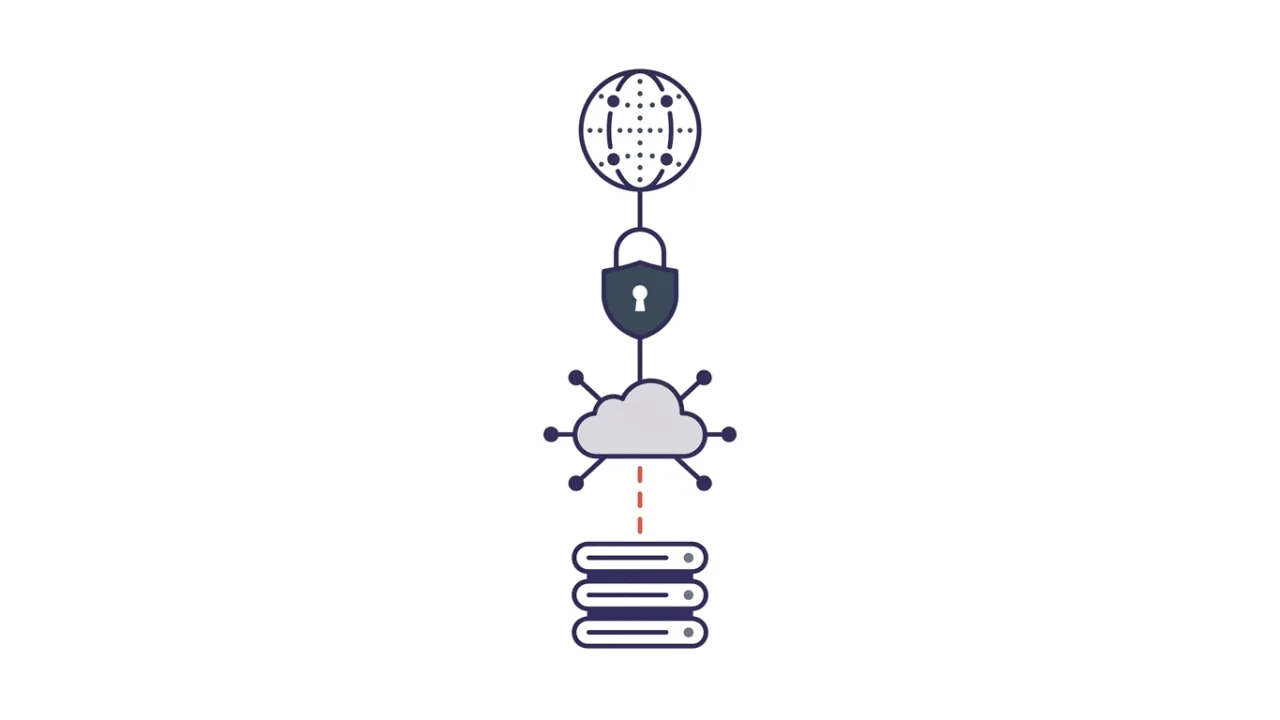
A site that will not load looks like one problem. It is usually four, stacked. The name has to resolve. The TLS handshake has to complete. The CDN edge has to reach the origin. The origin has to answer. Work through those layers in order and most outages localise in five minutes. Work through them out of order and you will spend an hour restarting a server that was never broken.
First question: down for everyone, or only for you?
Before you touch DNS, rule out your own machine. Local causes are common and embarrassing: a stale resolver cache, a leftover hosts file entry, a VPN or DNS filter, a corporate proxy, or an ISP-level block.
Test from a second network — your phone on mobile data is enough. Then query two public resolvers directly and fetch the site without a browser in the way:
If a public resolver answers and curl returns a 200 from an outside machine, the site is up and your path to it is broken. That is a different investigation, and a much cheaper one.
DNS: does the name still resolve?
DNS failures are the most misread, because the browser shows the same generic error for all of them. The response code tells you far more.
- NOERROR with an A or AAAA record — DNS is healthy. Move to the next layer.
- NXDOMAIN — the name does not exist. An expired domain, a deleted record, or a zone never published.
- NOERROR with no answer section — the name exists but has no record of that type. Classic when an A record is deleted while MX and TXT survive.
- SERVFAIL — the resolver could not produce a valid answer. Broken delegation, unreachable authoritative servers, or DNSSEC validation failure.
- REFUSED — the server declined. The zone is not loaded there, or an ACL is blocking you.
SERVFAIL deserves special attention, because DNSSEC is fail-closed by design. If signatures do not validate, a validating resolver must refuse to hand over the answer. That is the security property working, not a bug. On 5 May 2026 the .de registry DENIC published incorrect DNSSEC signatures during a scheduled key rollover, and validating resolvers worldwide had no choice but to return SERVFAIL for millions of German domains. Cloudflare's post-mortem puts the start at roughly 19:30 UTC and its own mitigation at 22:17 UTC — about three hours in which perfectly healthy web servers were unreachable by name.
One command separates a DNSSEC problem from a server problem. dig +cd example.com A sets the "checking disabled" flag, telling the resolver to skip validation. If +cd answers and the normal query returns SERVFAIL, the fault is in the signatures, not the hosting. Also worth running: dig example.com NS for the authoritative servers, and dig +trace example.com to walk the delegation from the root and find where the chain breaks.
SSL/TLS: the connection opens and the browser refuses
TLS failures have a distinctive signature. The page never renders, but the browser names a certificate problem rather than a timeout. Four causes cover almost everything:
- Expired certificate. The most common outage in this layer, and the most avoidable.
- Hostname not in the certificate. The certificate covers
example.combut the visitor requestedwww.example.com, andwwwis not in the SAN list. - Incomplete chain. The server sends the leaf certificate but not the intermediate. Nasty, because some clients paper over it and others do not — it can look fine in one browser and fail hard in a mobile app.
- Protocol or cipher mismatch. An old client meets a server that has dropped TLS 1.0/1.1, or vice versa.
Inspect the certificate the server actually presents:
The -servername flag matters. Without it you send no SNI, and a shared server hands you the wrong certificate — which then looks like a hostname mismatch that does not exist.
Expect this layer to fail more often. CA/Browser Forum ballot SC-081v3 cuts maximum certificate lifetime from 398 days to 200 days (from 15 March 2026), 100 days (2027) and 47 days (2029). Any renewal process relying on a human will break.
CDN edge or origin? Read who is answering
When a CDN sits in front of the site, an error can come from the edge or from the origin behind it, and the two mean opposite things. Cloudflare makes this unusually easy, because it publishes its own 5xx range for exactly this case:
- 520 — web server returns an unknown error
- 521 — web server is down
- 522 — connection timed out
- 523 — origin is unreachable
- 524 — a timeout occurred
- 525 — SSL handshake failed
- 526 — invalid SSL certificate
All of those say the same thing in different words: Cloudflare is fine, it tried to reach your origin, and your origin did not cooperate. A plain 502 or 504 with no CDN fingerprints in the response points instead at your own reverse proxy or application server.
Working out which vendor is in the path is a prerequisite for reading these codes. CDN detection across Cloudflare, CloudFront, Fastly and Akamai covers the per-vendor fingerprints, and why a hosting checker can be wrong explains why the origin often stays invisible even when everything else is clear.
The HTTP status code is your shortest diagnosis
If you get a status code at all, the server is reachable and the problem sits above the network layer. The MDN status code reference has the full list; these are the ones that show up in outages:
- 403 — a WAF rule or a file permission problem, not a crash.
- 404 on the homepage — usually a virtual host or document root pointing at nothing.
- 429 — you are being rate limited. Monitoring tools trigger this on themselves surprisingly often.
- 500 — the application threw. Check application logs, not the web server.
- 502 / 504 — the reverse proxy cannot get a sane answer from upstream, or cannot get one in time.
- 503 — maintenance mode, or an exhausted worker pool.
One trap: a cached error can outlive the fix. Check Age, X-Cache and CF-Cache-Status before concluding the fix failed. How to read HTTP headers like a developer covers those fields in detail.
Two more checks that cost nothing: open the provider's status page, then check whether other sites on the same IP are also down. If they are, the fault is the host and not your application. One caveat — on a CDN edge IP the neighbours are unrelated sites sharing an edge, so the signal means nothing there.
What hostingchecker.org checks in one pass
A lookup on hostingchecker.org runs the layers above as parallel probes on one page: NS and A/AAAA resolution, WHOIS and domain expiry, HTTP status and headers, the TLS certificate, CDN and CMS fingerprints, MX records, a security-headers grade, DNSBL listings and same-IP neighbours. For an outage its value is blunt: a second vantage point that is not your laptop. If the check succeeds and you still cannot load the site, stop debugging the server. And if the provider name confuses you, who hosts this website explains why it is not always the company running the origin.
Limitations and false positives
An outage checker that overstates its certainty is worse than none, so here is where ours is blind:
- One vantage point, one moment. We check from our network at the time you ask. A regional routing problem, or a single sick CDN point of presence, can look perfectly healthy to us and be completely broken for you.
- Cached probe results. Several probes are cached for hours. A fix you deployed two minutes ago may not show yet.
- A healthy edge can hide a dead origin. If a CDN is serving stale cache, the site looks up from outside while the origin is on fire. Our HTTP probe cannot see past the edge.
- WAFs block checkers. Some firewalls return 403 to automated clients that a real browser never sees — a false positive on "your site is broken".
- Split-horizon and geo DNS. If your DNS returns different records by region, the IP we resolve is not the IP you resolve. Reverse-IP neighbour data is third-party and can also be stale.
Five-minute checklist
- Reproduce from a second network. If it works there, the problem is local to you.
dig @1.1.1.1 example.com A— note the response code, not just the answer.- On SERVFAIL, retry with
+cd. If that succeeds, you have a DNSSEC problem. openssl s_client -servername example.com -connect example.com:443— check dates and SAN entries.curl -sSI https://example.com— read the status code and the cache headers.- If the status is a Cloudflare 52x, the origin is the suspect, not the CDN.
- Check the provider status page and same-IP neighbours before touching a server.
- Record what you found and when. Outages repeat, and notes shorten the second one.
Summary
Outages are cheap to diagnose when you refuse to skip layers. DNS response codes, the certificate the server actually presents, and the exact status code will localise the fault long before you log into anything. The habit worth building is reading the response code rather than the browser message — NXDOMAIN, SERVFAIL and a Cloudflare 521 look identical to a visitor and mean three completely different things.
Check your site — run the domain through the lookup on hostingchecker.org and read DNS, TLS, headers and CDN in one pass before you start restarting things.